
The online trading landscape has shifted dramatically from fragmented, asset-specific brokerages toward unified, multi-asset execution environments. Traders no longer want one application for spot cryptocurrency, a separate desktop terminal for retail foreign exchange, and a cumbersome brokerage account for global equities. More importantly, retail participants are increasingly demanding access to the same real-time data filtering, algorithmic execution assistance, and low-latency order routing that institutional desks have utilized for decades.
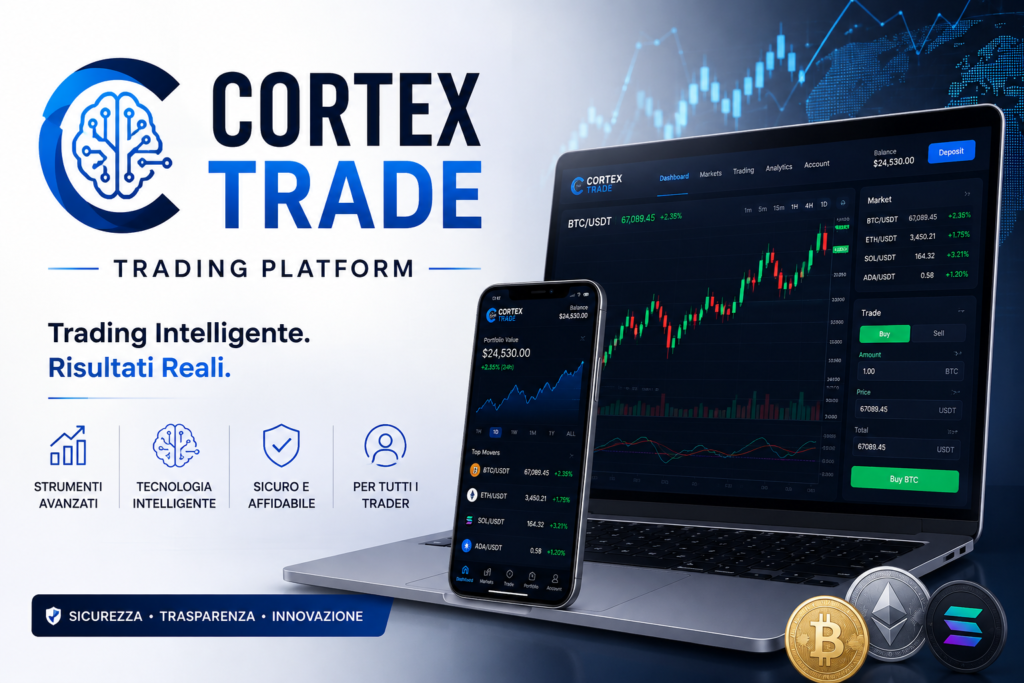
Enter Cortex Trade—a multi-asset trading platform engineered to bridge the gap between complex algorithmic automation and manual discretionary trading. Designed for both active day traders and long-term portfolio builders, Cortex Trade combines a proprietary real-time analytics engine with an accessible interface that removes unnecessary technical friction without stripping away professional-grade charting and risk controls.
What Is Cortex Trade? Core Architecture & Mechanics
At its foundation, Cortex Trade is an integrated execution and analytics ecosystem. Rather than acting as a static order entry pad, the platform deploys a continuous market-scanning engine that processes tick-by-tick price feeds, volume distributions, and order-book depth across dozens of global liquidity providers.
1. Hybrid Trading Modality: Automated vs. Manual Execution
One of the most defining characteristics of Cortex Trade is its dual-mode execution model:
- Manual Discretionary Mode: Experienced traders retain granular control over every entry and exit. Users can deploy advanced technical overlays—including Fibonacci retracement fans, Volume Profile indicators, Ichimoku Clouds, and custom moving average ribbons—directly onto modular, multi-screen charting layouts.
- Automated Analytical Mode: For traders who cannot monitor charts across all trading sessions, the platform provides rule-based automated routines. These systems do not rely on opaque “black-box” promises; instead, users configure specific risk parameters, drawdown limits, asset watchlists, and technical triggers. When market conditions satisfy those predefined criteria, the system can execute orders automatically or generate immediate high-priority alerts.
2. Low-Latency Execution & Liquidity Aggregation
A frequent failure point among retail trading platforms is slippage—the discrepancy between the requested order price and the actual execution price during periods of high volatility. Cortex Trade addresses this by utilizing institutional liquidity aggregation. When a user submits a market order, the platform’s smart router scans connected liquidity pools to fill the trade at the best available bid-ask spread in milliseconds. This infrastructure is particularly critical during major macroeconomic news releases, such as central bank interest rate decisions or non-farm payroll reports.
Cortex Trade Facts & Specifications Table
The following table summarizes the operational facts, technical specifications, and core requirements of the Cortex Trade platform:
| Specification Category | Platform Detail / Fact |
| Platform Name | Cortex Trade |
| Primary Account Base Currencies | USD, EUR, GBP, AUD, CAD |
| Minimum Initial Deposit | $250 (or equivalent base currency) |
| Supported Asset Classes | Cryptocurrencies, Forex (Majors/Minors/Exotics), Commodities, Global Equities, Market Indices |
| Execution Modes | Manual Discretionary Trading & Automated Rule-Based Execution |
| Charting Infrastructure | Built-in HTML5 Advanced Charting, Multi-Timeframe Analysis, 80+ Technical Indicators |
| Order Types Supported | Market, Limit, Stop-Loss, Trailing Stop, Take-Profit, Good-‘Til-Cancelled (GTC) |
| Security Standards | 256-bit SSL/TLS Encryption, Two-Factor Authentication (2FA), Cold Storage for Crypto Assets, Segregated Client Accounts |
| Mobile Accessibility | Dedicated Native Apps for iOS and Android, Fully Responsive Web App |
| Customer Support Channels | 24/7 Live Chat, Dedicated Account Support Specialists, Email Helpdesk |
| Demo / Practice Mode | Yes (Simulated trading environment with live market feeds) |
Key Features & Platform Innovations
To stand out in a saturated market, a trading platform must offer tangible tools that improve decision-making accuracy and execution speed. Cortex Trade focuses its feature set around four primary pillars:
1. Predictive Pattern Recognition & Alerting
Cortex Trade integrates a continuous background scanner that monitors instruments across all timeframes for classical chart patterns (such as ascending triangles, head-and-shoulders formations, and double bottoms) as well as quantitative divergence signals (such as RSI or MACD divergence against price action). When a high-probability setup emerges, the platform pushes a structured notification detailing the asset, timeframe, pattern type, and historical success probability of similar setups.
2. Consolidated Asset Watchlists & Portfolio Heatmaps
Instead of forcing traders to switch between isolated tabs for crypto and forex, the workspace features customizable cross-market watchlists. Users can build interactive portfolio heatmaps that display real-time percentage changes, daily volume surges, and relative volatility across their entire watchlist at a single glance.
3. Granular Risk Management Controls
Capital preservation is the single most important factor in long-term trading survival. Cortex Trade embeds mandatory and optional risk safeguards into the trade entry ticket:
- Automated Position Sizing Calculators: Traders input their maximum acceptable risk percentage per trade (e.g., 1% of total account equity) and their stop-loss price distance. The platform automatically calculates the exact lot size or contract quantity required to respect that monetary risk limit.
- Guaranteed Stop-Loss Orders (GSLOs): For highly volatile instruments, users can attach GSLOs that protect against gap-down or gap-up market events, ensuring an exit at the exact requested price level.
- Trailing Take-Profit Mechanisms: Allow traders to lock in floating gains as a trend extends, automatically adjusting the stop price upward as the asset moves favorably.
Supported Asset Classes & Portfolio Diversification
A core advantage of Cortex Trade is its breadth of market access. True portfolio diversification requires spreading capital across non-correlated asset classes so that a downturn in one sector does not compromise the entire account.
1. Cryptocurrencies
- Major Assets: Bitcoin (BTC), Ethereum (ETH), Solana (SOL), and Ripple (XRP).
- Emerging Altcoins & Tokens: Access to decentralized finance (DeFi) governance tokens, Layer-2 scaling tokens, and infrastructure assets.
- Market Dynamics: Operates 24 hours a day, 7 days a week, with real-time liquidity depth charts and on-chain sentiment overlays.
2. Foreign Exchange (Forex)
- Major Pairs: EUR/USD, GBP/USD, USD/JPY, and USD/CHF—characterized by ultra-tight spreads and high intraday liquidity.
- Minor & Cross Pairs: EUR/GBP, GBP/JPY, AUD/CAD, allowing traders to exploit regional currency flows without direct US Dollar exposure.
- Exotic Pairs: Currency pairings involving emerging market economies, offering higher yield differentials and broader intraday price swings.
3. Commodities
- Precious Metals: Gold (XAU/USD) and Silver (XAG/USD), serving as traditional inflation hedges and safe-haven assets during geopolitical instability.
- Energy Contracts: Crude Oil (WTI and Brent) and Natural Gas, providing direct exposure to global industrial demand and supply shocks.
4. Global Equities & Indices
- Single-Stock CFDs: Fractional and full-share exposure to major technology leaders, industrial conglomerates, and financial institutions across US, European, and Asian exchanges.
- Equity Indices: Benchmark indices such as the S&P 500, NASDAQ 100, FTSE 100, and DAX 40, enabling macro traders to speculate on entire economies with a single position.
Step-by-Step Registration & Account Verification Guide
Setting up a live trading account on Cortex Trade follows a structured, regulatory-compliant onboarding sequence. Order is critical: attempting to fund or execute trades before completing identity verification can result in temporary account holds or delayed withdrawals.
1. Complete the Initial Registration Form: Basic identity and contact information.
Navigate to the official Cortex Trade portal and select Create Account. Enter your legal first and last name, a valid email address, your primary phone number with country code, and a secure, unique password. Agree to the Terms of Service and Privacy Policy, then submit the form to receive an email confirmation link.
2 . Verify Your Email Address and Phone Number: Dual-channel communication verification.
Open your email inbox and click the single-use activation link sent by Cortex Trade. Next, enter the 6-digit SMS verification code sent to your mobile phone. This dual confirmation establishes your communication channels for account security alerts and withdrawal notifications.
3.Complete KYC (Know Your Customer) Identity Verification: Mandatory regulatory identity verification.
To comply with international Anti-Money Laundering (AML) standards, upload a clear, full-color digital copy of a government-issued identity document (such as a Passport, National ID card, or Driver’s License). Additionally, upload a proof-of-address document dated within the last 90 days (such as a utility bill, bank statement, or tax document showing your residential address).
4. Fund Your Account with the Minimum Initial Deposit: Capital allocation requirement.
Once your verification documents are reviewed and approved, navigate to the Deposit/cashier area of the dashboard. Select your preferred funding method—such as Visa/Mastercard debit or credit cards, wire bank transfer, or supported cryptocurrency transfers—and deposit at least the required minimum of $250 (or base currency equivalent).
5. Configure Account Security and Two-Factor Authentication: Account defense hardening.
Before entering the trading terminal, go to Security Settings and enable Time-Based One-Time Password (TOTP) Two-Factor Authentication using an authenticator app (such as Google Authenticator, Authy, or hardware YubiKey). Do not rely solely on SMS 2FA for account login protection.
6.Select Your Workspace Modality and Execute Your First Trade: Live terminal activation.
Launch the trading terminal. Choose whether to start in Demo/Simulated Mode to test strategies without capital risk, or switch to Live Execution Mode. Set your asset chart, define your lot size, attach mandatory Stop-Loss and Take-Profit parameters, and submit your trade.
Fee Structure, Spreads, and Cost Analysis
Transparency in pricing is essential for evaluating whether a trading platform supports profitable long-term strategies. Hidden fees, excessive overnight rollover rates, or wide bid-ask spreads can erode even the most accurate trading systems.
1. Minimum Deposit Requirements
- Initial Account Activation: Requires a baseline deposit of $250. This figure is designed to provide sufficient initial margin to execute diversified positions across multiple instruments while maintaining proper stop-loss buffers.
- Subsequent Deposits: No minimum requirement on standard follow-up deposits via card or crypto; wire transfers may carry bank-imposed transfer minimums.
2. Trading Costs: Spreads vs. Commissions
Cortex Trade utilizes a transparent fee structure that varies slightly by account tier and instrument class:
- Zero-Commission Spread Model: For standard retail accounts, the platform charges no separate commission fee per order. Instead, the trading cost is embedded within the raw bid-ask spread. For example, major currency pairs like EUR/USD feature spreads starting from as low as 0.8 to 1.2 pips during liquid market hours.
- Crypto spreads: Major digital assets like Bitcoin and Ethereum carry competitive, percentage-based spreads that scale dynamically with spot exchange liquidity.
3. Overnight Financing (Swap / Rollover Rates)
Positions held open across the daily market rollover time (typically 22:00 UTC) incur an overnight financing charge or credit, known as a swap fee.
- Forex & Commodities: Swaps are calculated based on the interbank interest rate differential between the two currencies in the pair, plus a small platform financing markup.
- Cryptocurrencies & Equities: CFDs held overnight incur a standardized daily borrowing fee based on the nominal position value.
4. Non-Trading & Account Maintenance Fees
- Deposit Fees: Cortex Trade charges zero platform fees on incoming card deposits, bank wires, or crypto transfers (third-party blockchain network gas fees or bank wire charges may still apply from the sender’s end).
- Withdrawal Fees: Standard withdrawal requests are processed without platform markups for the first two withdrawals per calendar month; subsequent withdrawals in the same month may incur a flat administrative fee.
- Inactivity Fees: Accounts with zero trading activity, open positions, or login sessions for 90 consecutive days are subject to a minor monthly inactivity maintenance fee deducted from the remaining cash balance until activity resumes.
Cortex Trade vs. Competitors: Comparative Analysis
To understand where Cortex Trade sits in the broader retail ecosystem, it is helpful to benchmark its performance, fee structure, and toolsets against traditional retail brokerages and standard cryptocurrency spot exchanges.
| Comparison Feature | Cortex Trade Platform | Standard Retail Brokers | Typical Crypto Spot Exchanges |
| Asset Class Diversity | High (Crypto, Forex, Equities, Commodities in one unified dashboard) | Moderate (Strong in Equities/Forex, very limited crypto offerings) | Low (Cryptocurrency assets and tokens only; no traditional equities/forex) |
| Execution Speed & Latency | Sub-50ms via institutional liquidity routing | 50ms–200ms depending on clearing intermediary | 100ms–500ms during peak retail trading spikes |
| Automated Rule-Based Trading | Built-in native automation engine & visual condition builder | External only (Requires third-party software like MetaTrader or API bridges) | Basic (Simple grid bots or DCA schedules; limited multi-asset triggers) |
| Minimum Initial Deposit | $250 standard activation | $0 to $500 depending on account type | $0 to $10 minimal entry threshold |
| Charting & Indicators | 80+ native indicators, custom overlays, multi-screen layouts | 60–100 indicators (Often requires standalone desktop installations) | 30–50 indicators (Basic web charting or standard TradingView iframe) |
| Customer Support Access | 24/7 Live Chat & dedicated account assistance | 24/5 Live Support (Closed on weekends during crypto trading) | Ticket-based only (Slow email response times, no direct human phone/chat) |
Security Architecture & Regulatory Compliance
In online financial trading, robust platform security is just as important as execution speed. Cortex Trade deploys a multi-layered defense architecture designed to protect user identity, communications, and capital balances from external threats.
1. Data Encryption & Communication Integrity
All web traffic between client browsers, mobile devices, and Cortex Trade servers is secured using 256-bit TLS/SSL encryption. This ensures that login credentials, personal identification numbers, and payment details cannot be intercepted via man-in-the-middle (MitM) attacks or unsecured networks.
2. Client Fund Protection & Asset Storage
- Segregated Custody Accounts: All fiat currency balances deposited by clients are maintained in segregated trust accounts at regulated Tier-1 financial institutions, entirely separate from the company’s internal operational cash flow.
- Cold Storage for Cryptocurrencies: Digital assets traded and stored within the platform ecosystem are protected via offline cold-storage vaults protected by Multi-Signature (Multi-Sig) hardware keys, minimizing exposure to online server breaches.
3. Account-Level Security Measures
- Mandatory Identity Verification: Adherence to strict KYC and AML compliance protocols prevents fraudulent account creation, identity theft, and unauthorized fund movements.
- Hardware-Compatible 2FA: Full support for Time-Based One-Time Password (TOTP) applications and hardware security keys ensures that even if an email address or password is compromised, unauthorized actors cannot access the trading terminal or request withdrawals.
- Withdrawal Whitelisting: Users can lock their account withdrawal destinations so that payouts can only be dispatched to pre-verified bank accounts, cards, or crypto wallet addresses that match the verified account holder’s identity.
User Experience Across Desktop and Mobile Ecosystems
A platform’s usability directly affects trading execution. If an interface is cluttered or unresponsive, traders risk missing entry levels or executing erroneous orders.
1. Desktop & Web Terminal Usability
The web-based desktop terminal requires no local software installation and runs smoothly across modern web browsers. The workspace is fully modular:
- Traders can dock, detach, and resize individual windows for charting, order books, economic calendars, and news feeds.
- Supports up to eight synchronized chart panels on a single monitor, allowing traders to track price action across the 1-minute, 15-minute, 1-hour, and Daily timeframes simultaneously.
- One-click trading functionality can be enabled for scalpers who need to enter and exit positions instantly without confirmation dialog delays.
2. Native Mobile Applications (iOS & Android)
The Cortex Trade mobile app is built as a native application rather than a responsive wrapper, ensuring high performance even on mobile data networks:
- Includes full interactive charting with touch-drag support for trendlines and indicator adjustment.
- Push notifications alert users immediately when automated strategies execute a trade, when stop-loss levels are triggered, or when major market volatility spikes occur.
- Biometric authentication (FaceID / Fingerprint unlock) allows rapid, secure access without typing complex passwords in public settings.
Honest Pros & Cons Breakdown
No trading platform is universally ideal for every trading style. Below is a balanced, honest assessment of Cortex Trade’s primary advantages and practical limitations:
The Advantages (Pros)
- Unified Multi-Asset Access: Eliminates the administrative burden of maintaining separate brokerages for cryptocurrencies, forex, commodities, and equities.
- Advanced AI & Pattern Recognition: Real-time scanning and alert algorithms help traders identify high-probability setups without spending ten hours a day staring at charts.
- Transparent Fee Architecture: Zero-commission trading on standard accounts with competitive spreads and no hidden platform deposit markups.
- Professional Risk-Management Tools: Automated position-sizing calculators, guaranteed stop-loss options, and trailing stops come standard.
- Segregated Fund Custody & Security: High-grade encryption, Tier-1 fiat segregation, cold crypto storage, and mandatory TOTP two-factor authentication.
- 24/7 Human Customer Support: Access to knowledgeable support representatives via live chat at any hour, including weekends.
The Limitations (Cons)
- $250 Minimum Deposit Requirement: While standard for multi-asset platforms, this threshold is higher than micro-account brokerages or basic crypto apps that allow $10 starter deposits.
- No Direct Physical Share Ownership: Equities and commodities are executed via contracts for difference (CFDs) or margin instruments; you do not gain stockholder voting rights or physical commodity delivery.
- Inactivity Maintenance Fee: Accounts left entirely dormant without logins or open positions for 90 days incur a recurring maintenance deduction.
- Jurisdictional Restrictions: Due to varying international financial regulations, certain asset classes or leverage levels may be restricted depending on the user’s country of residence.
Frequently Asked Questions (FAQs)
1. What is the exact minimum deposit required to open a Cortex Trade account?
The minimum initial deposit required to activate a live Cortex Trade account is $250 (or the equivalent in EUR, GBP, AUD, or CAD). This capital is entirely yours to trade with and serves as your operational margin balance; it is not a platform fee or subscription charge.
2. How long do withdrawal requests take to process?
Standard withdrawal requests are processed by the Cortex Trade finance department within 24 hours of submission. After release, transfer speeds depend on the selected method:
- Cryptocurrency transfers: Typically arrive in your wallet within 15 to 45 minutes depending on network block confirmations.
- Credit/Debit card refunds: Usually reflect in 1 to 3 business days.
- Bank wire transfers: Take approximately 3 to 5 business days depending on intermediary clearing banks.
3. Is Cortex Trade suitable for beginners with no prior trading experience?
Yes. Cortex Trade provides a Simulated Demo Mode where beginners can practice trade execution, chart analysis, and order management using real-time market data without risking real capital. Furthermore, the platform’s intuitive workspace design and educational resource library help new users learn basic concepts before deploying live funds.
4. Can I use automated trading strategies on Cortex Trade?
Yes. Cortex Trade supports rule-based automated trading routines. Users can set conditional triggers based on technical indicators, price levels, or volatility thresholds. The platform’s automated engine will execute orders or trigger alerts automatically according to your predefined parameters.
5. Are my funds and personal data secure on Cortex Trade?
Cortex Trade utilizes 256-bit TLS/SSL encryption for all data transfers, enforces mandatory Know Your Customer (KYC) identity verification, and supports hardware-compatible Two-Factor Authentication (TOTP 2FA). All client fiat funds are held in segregated trust accounts at Tier-1 banks, and crypto assets are stored in cold-storage multi-signature vaults.
6. Does Cortex Trade charge a commission on every trade?
For standard retail accounts, Cortex Trade operates on a zero-commission spread model. There is no separate per-trade commission fee; platform costs are incorporated into the bid-ask spread. Specific borrowing or rollover swap fees apply only to leveraged positions held overnight past the daily market rollover time.
7. What countries and regions can access Cortex Trade?
Cortex Trade is accessible across numerous international jurisdictions, including major regions in Europe, North America, Australia, and Asia. However, specific asset availability (such as cryptocurrency derivatives or high leverage limits) may vary depending on local financial regulations in your residence country. Always check your jurisdiction’s compliance requirements during signup.
8. How can I export my trading history for tax reporting?
Users can generate detailed, downloadable account statements directly from the Account History / Reports section of the dashboard. Reports can be exported in standardized spreadsheet formats (CSV / Excel), containing full timestamps, entry/exit prices, volume, profit/loss figures, and paid swap fees to assist with annual tax preparation.
Final Analytical Verdict & Risk Disclaimers
In an era where financial markets move at lightning speed, relying on outdated brokerage interfaces or single-asset platforms places retail traders at a substantial disadvantage. Cortex Trade successfully combines institutional-grade liquidity routing, multi-asset consolidation, and smart analytical automation into an interface that remains accessible to everyday traders.
Whether you are looking to diversify across major cryptocurrency pairs, trade liquid forex markets, or take positions in global equities and precious metals, Cortex Trade provides the infrastructure, charting depth, and risk-management safeguards required to execute structured, data-driven trading strategies in 2026.